
Share one skill without keeping several drifting copies
Use this workflow when the same skill exists in Claude Code, Codex or other agent folders, or a skill disappears after its linked source moves. The tool manager inventories files and references; it does not translate a skill into equivalent behavior for every agent.
1. Inspect before changing
Open the tool panel from the sidebar wrench or ⌘K on macOS, then select Skills. Filter duplicate, detour or dead-link findings and open the relevant skill. Check Content, References and Enabled in, not just its display name.
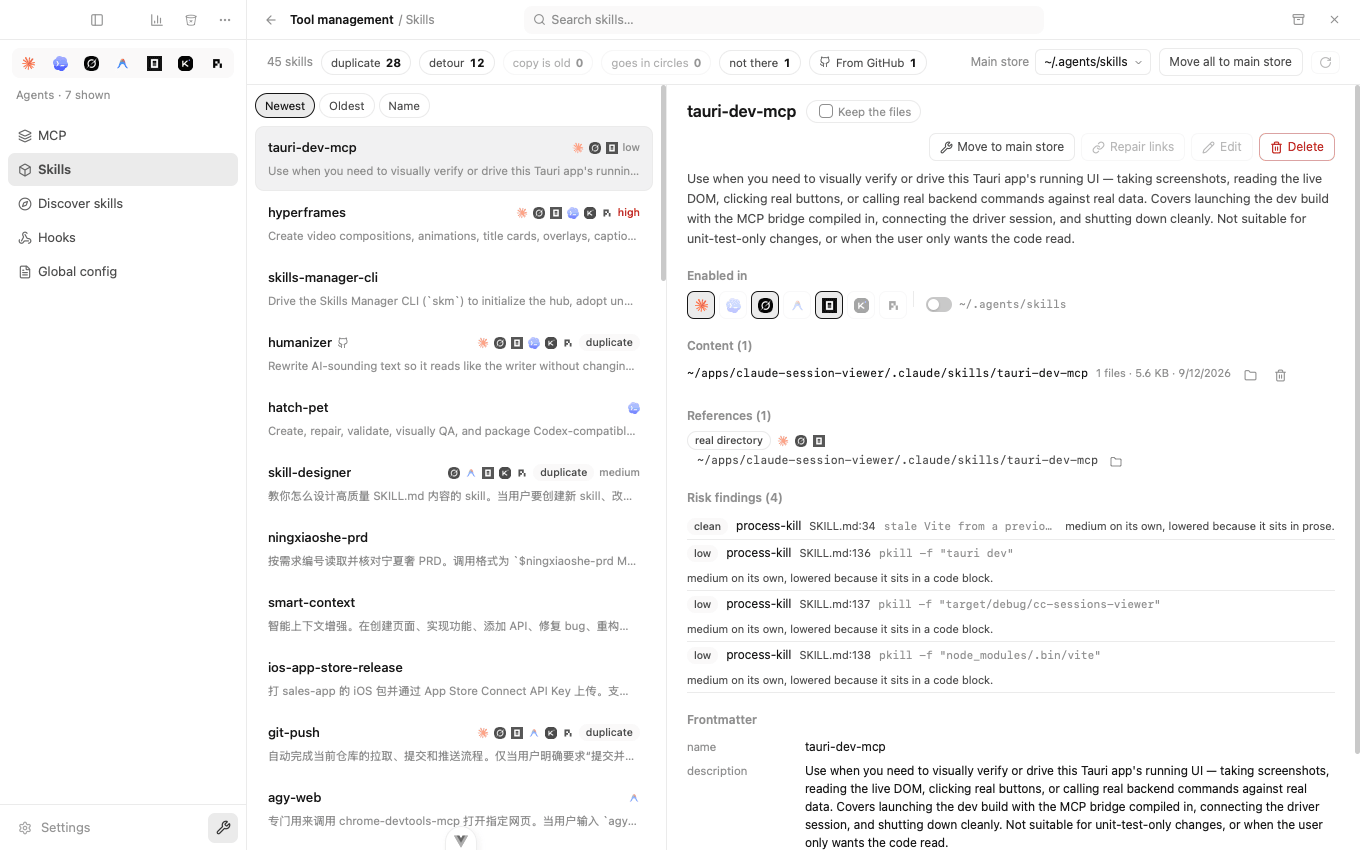
| Finding | What to establish first |
|---|---|
| Duplicate | Are copies identical, or do projects deliberately use different versions? |
| Detour | Does the final target exist, and which intermediate link will be bypassed? |
| Dead link | Is the real content elsewhere, or has it actually been deleted? |
A risk badge identifies patterns worth reviewing, not a security certification. Read scripts and dependencies before installing or running an unfamiliar skill.
2. Pick the content to keep
Compare the copies before consolidating. A project-specific variant may need to remain separate. If you choose Move to main store, inspect the proposed source, destination, move and link steps; resolve any conflict before confirming. This changes files and links, so retain an independent backup of valuable custom content.
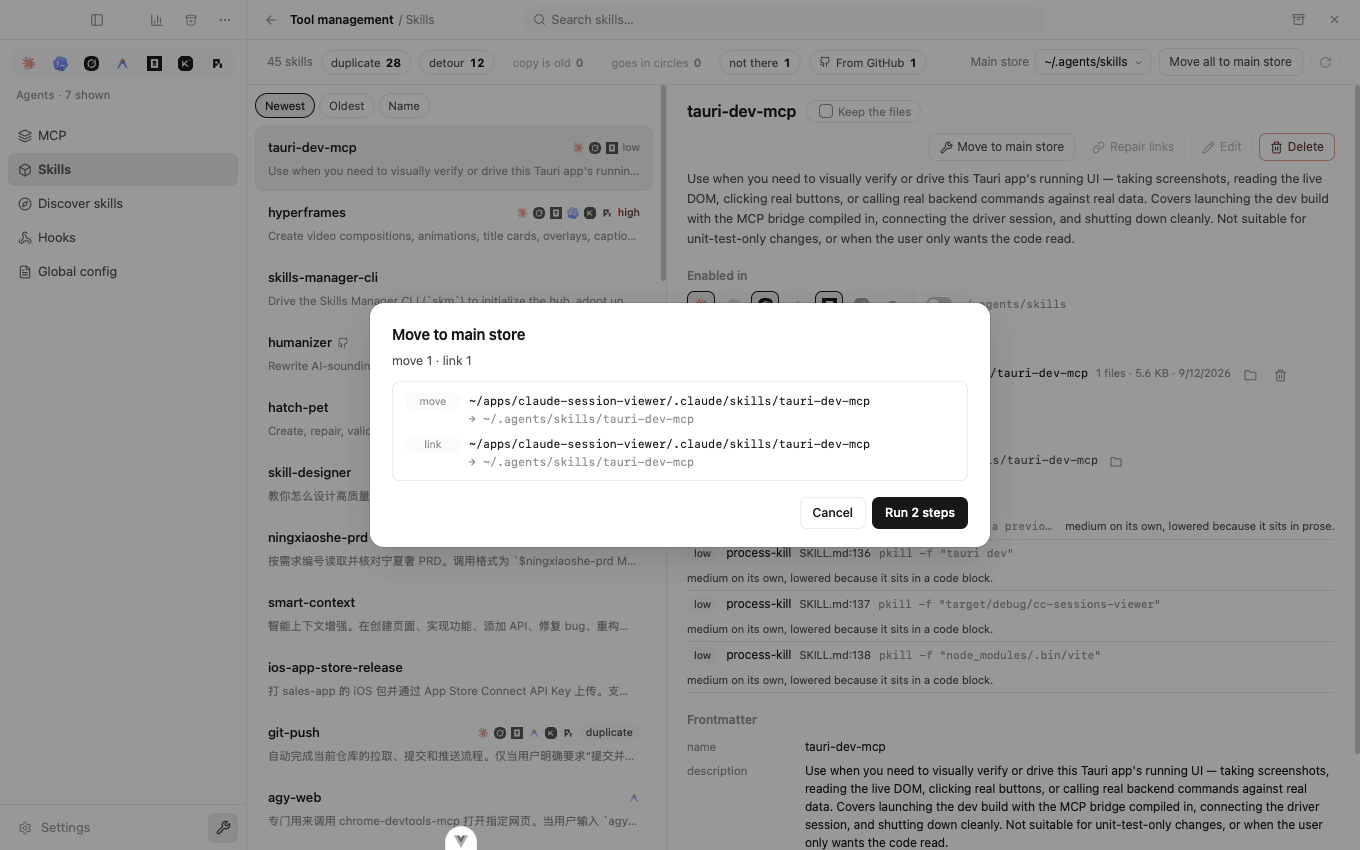
Toggle only the agents you intend to use. Sharing files does not prove that each agent will load them in the same scope or execute their instructions identically.
3. Repair references, not missing content
Open the repair preview and check the final path. Detour repair can point directly to the content instead of through another link. If the body is gone, repair may clear a dead reference; it cannot recreate deleted skill content. Cancel if the proposed cleanup is not what you wanted.
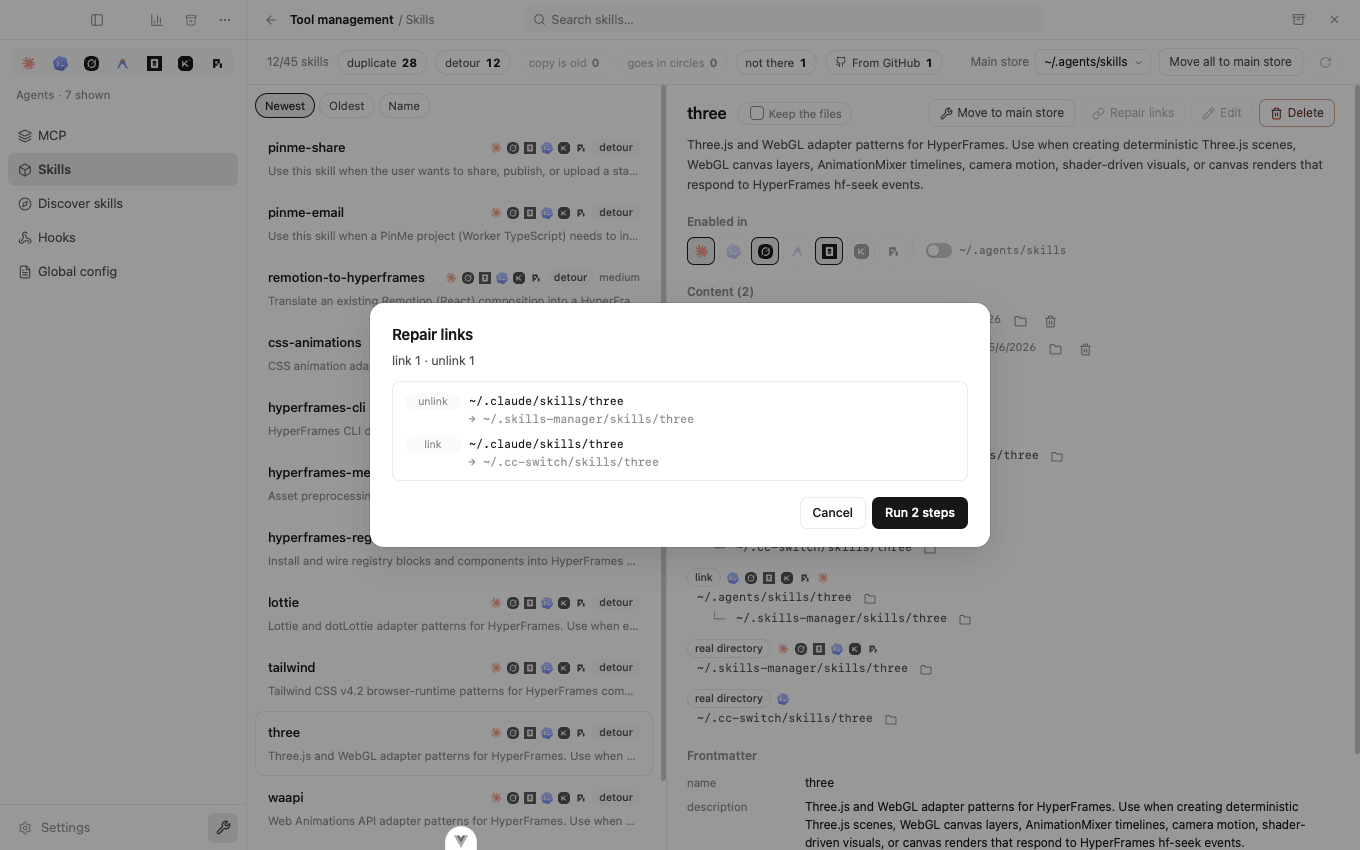
Deletion is not consolidation: deleting a skill can remove references and copies. Read the full preview, especially scope, before confirming. See the skill-management overview.
4. Verify in the target agent
Refresh/reopen the target agent as its loading behavior requires, then check whether the skill is discoverable. Verify project/global scope, root paths and symlink support on the current OS if it is still missing. Runtime loading is the target agent's responsibility; no CLI-version certification is implied here.
For discovering new skills, see the registry workflow. Installation can launch an external command and contact a registry; hooks can execute real scripts. Neither is a sandbox. Read data handling before sharing paths or configuration.
Evidence: 0.6.0 source review on 2026-10-05, skills writes and link handling. See validation scope and MCP configuration checks.